 BusBD
In short
- What it is: Bangla software built for bus companies: trips, routes, fares, counters and staff in one place.
- Where it runs: on phones and computers, with every screen in Bangla.
- Security: a PIN alone is not enough. The phone or computer must be registered too, and the owner decides who gets in.
- Pricing: a monthly fee per bus, with no hidden costs. Choose yearly and get 2 months free.
- Getting started: a two-minute application, payment by bKash or Nagad, then a phone call with your code.
What is bus management software?
Bus management software is a digital system where a bus company's daily work lives in one place: which bus leaves on which route and when, what the fare is, who sits at which counter, and which staff member does what. Instead of relying on notebooks, separate phone calls and chat messages, owners and managers look at the same screen and make decisions from the same facts.
This kind of software comes in roughly two kinds:
- For passengers: apps and websites to search for seats and buy tickets online.
- For bus companies: tools to organise the company's own operations: trips, routes, fares, counters and staff.
BusBD is the second kind. It is a tool for the bus owner, not a marketplace where passengers buy tickets. Its screens, wording and steps are designed around owners, managers and counter staff.
Where notebooks and phone calls go wrong
Small operations can get by on a notebook and a phone. As buses, routes and counters multiply, the problems below show up more and more often.
1. The same bus gets booked twice
The routine is written in a notebook, but changes happen over the phone. When you move a bus at the last minute, it is easy to place that very bus on another trip too. You find out when passengers are standing at the counter and the bus is not there.
2. Fares get muddled
On the same route, the fare from a stop in the middle differs from the fare for the full journey. During busy seasons such as Eid, fares change. If this lives in people's heads, different counters quote different prices. Passengers get annoyed and the owner cannot make the accounts match.
3. The counter does not know where the bus is
A passenger asks, “When is my bus arriving? Has it left?” The counter clerk calls the manager, the manager calls the driver. The chain takes time, and answers get garbled.
4. Nobody knows who is signing in from which phone
With one shared password or one shared phone, you cannot tell who did what. When a staff member leaves, the way in from their phone can stay open.
5. There is no record of who changed what
A trip changed, a fare dropped, but who did it, when, and what was it before? Without a record, a mistake turns into an argument about whose fault it was.
6. Information is scattered across ten places
The routine is in one notebook, fares in another, a staff number on someone's phone. When the owner needs one answer, three people get a call.
Good bus management software reduces exactly these six problems. BusBD's features are organised around them.
BusBD at a glance
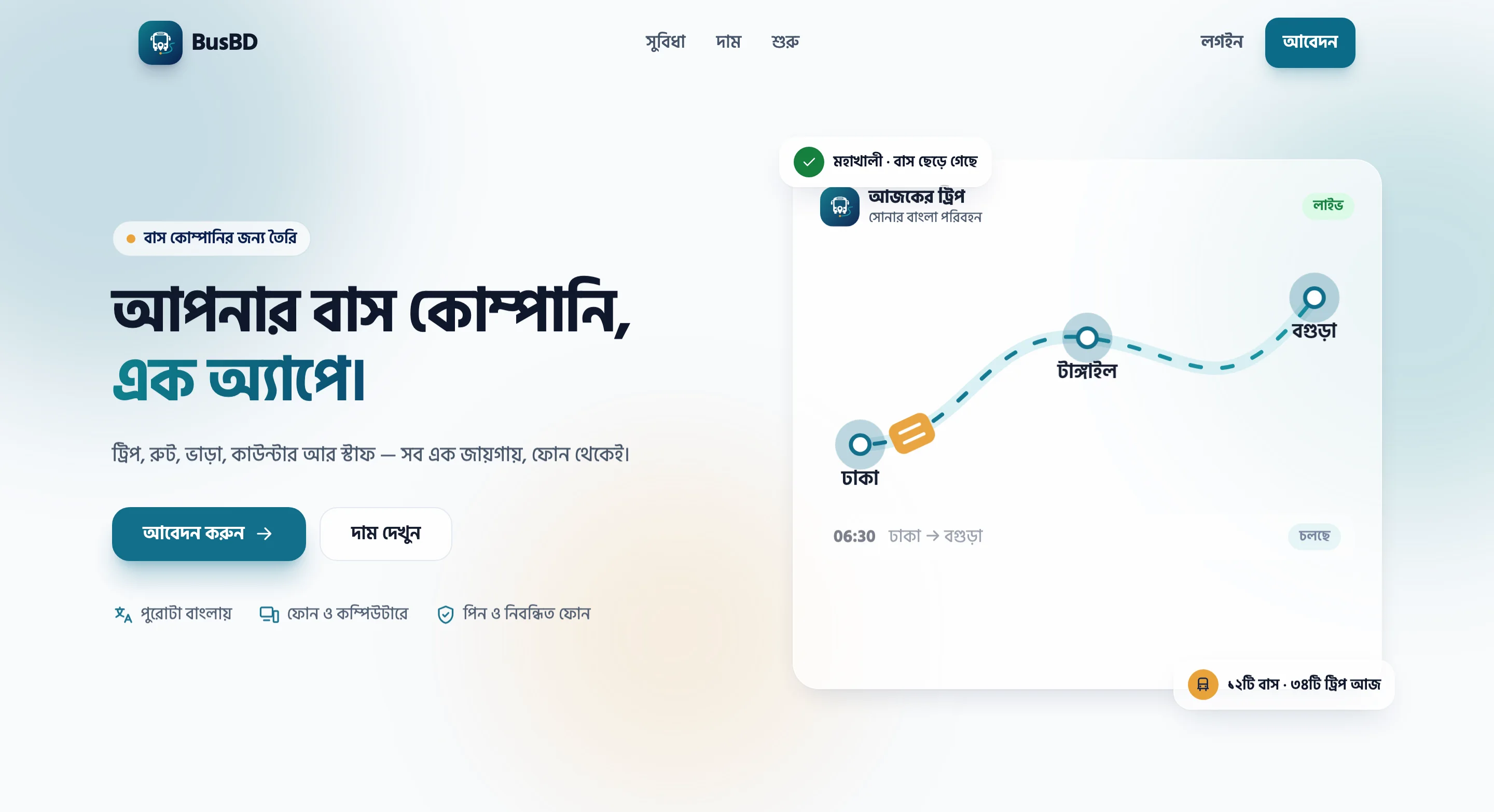
BusBD's promise is written in the homepage headline: “Your bus company, in one app.” Trips, routes, fares, counters and staff: all in one place, from your phone. Under the headline you will see three short promises:
- Fully in BanglaThe site and app screens are in Bangla, easy even for staff with little technical background.
- Phone and computerThe owner at a desk computer and the clerk on a phone see the same information.
- PIN and registered phoneA PIN alone does not get anyone in. The device must be registered as well.
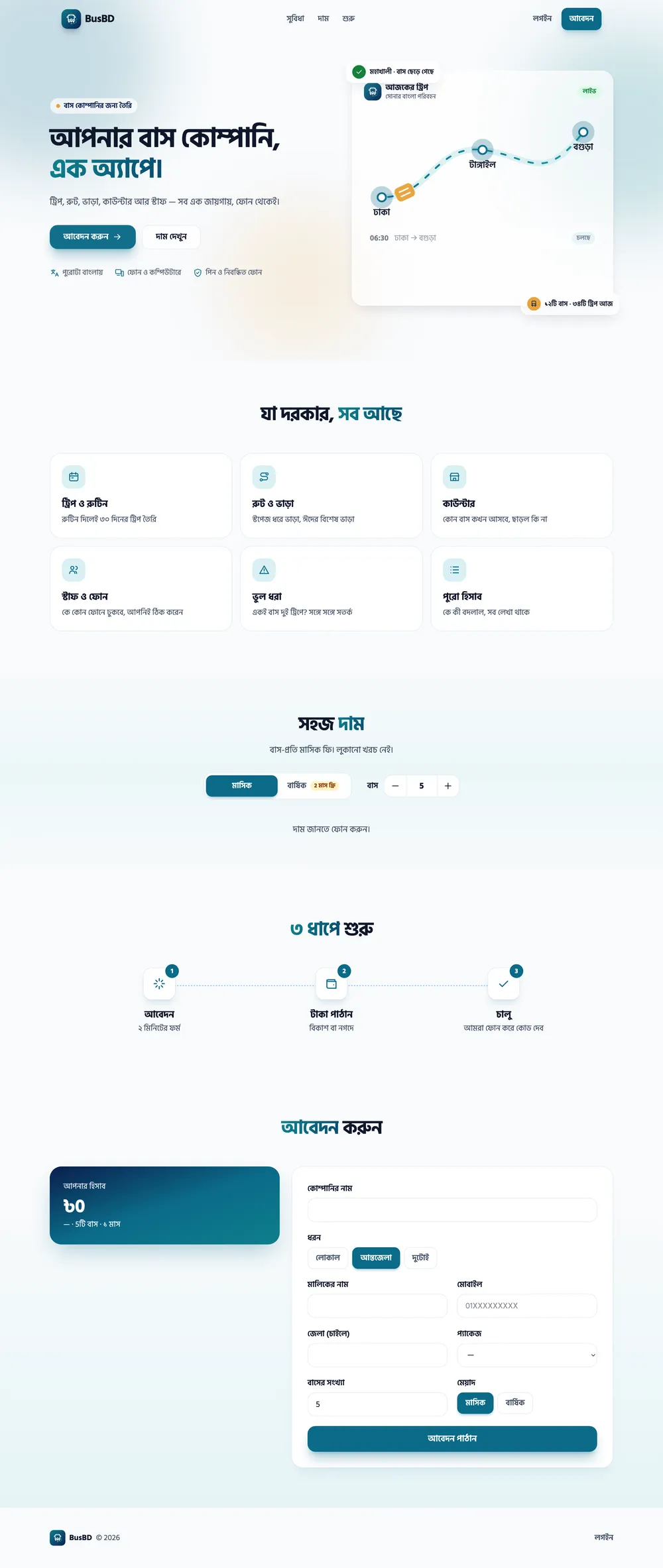
The image below shows the whole homepage from top to bottom: the headline, six features, pricing, three steps and the application form.
The six core features in detail
The “Everything you need” section of the homepage has six cards. Here is what each one is for and what it changes in an owner's or manager's day.
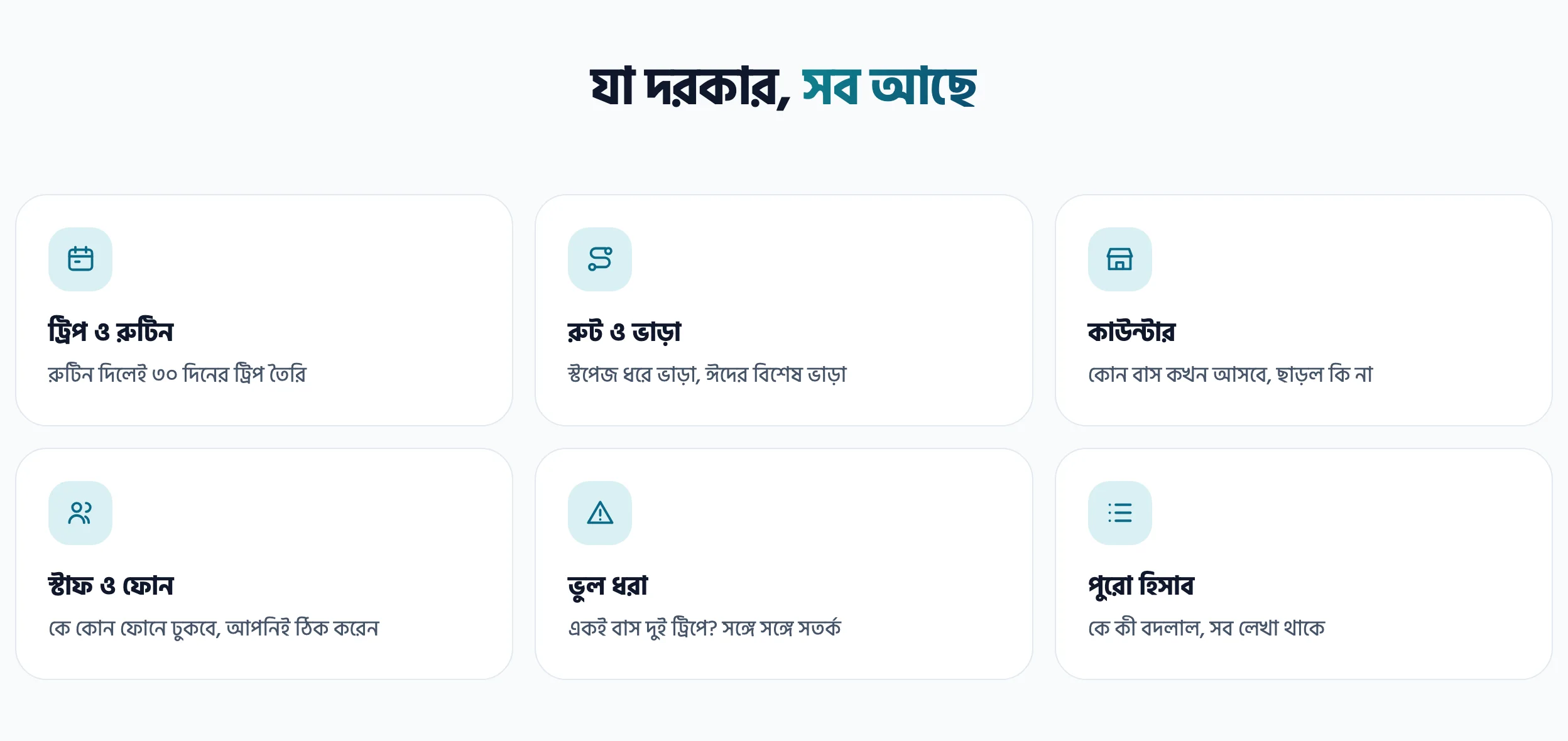
Trips and routine: set it once, get 30 days of trips
Trips are at the centre of a bus company's work: which bus, which route, what time. Rewriting that every day guarantees mistakes. In BusBD you enter a routine once, for example “every day at 6:30 am, Dhaka to Bogura”, and the system creates the next 30 days of trips from it.
You win twice: less daily writing, and one place to answer “which bus is where next week?”
Routes and fares: fares by stop, special Eid fares
A route is not just a start and an end; it is the stops in between. On a route like Dhaka–Tangail–Bogura, a passenger getting off at Tangail pays one fare, and one going all the way to Bogura pays another. In BusBD you can set fares by stop, and keep separate special fares for busy times such as Eid.
Once a fare is in the system, every counter sees the same price. That is how the “different price at every counter” problem shrinks.
Counter: which bus arrives when, and has it left
The biggest question a passenger asks at the counter is, “When does my bus arrive? Has it left?” BusBD's counter section shows which bus arrives when, and whether it has left. Staff do not have to wait on a manager's phone call, and passengers get answers faster.
Staff and phones: you decide who signs in from which phone
Every staff member has their own mobile number and their own PIN. Which phone or computer they may sign in from is in the owner's or manager's hands. The full process is in the next section.
Catching mistakes: a wrong schedule is caught immediately
If the same bus ends up on two trips, the system warns you straight away. You learn about the mistake before the trip departs, not after passengers have turned up. One of a bus company's most expensive errors is stopped early.
Full record: who changed what is written down
When something important changes, such as a trip or a fare, who changed it and what changed is recorded. If something goes wrong you can talk from the record instead of from guesswork, and staff know that their work is on the record.
Staff and security: who gets in, and how
If anyone can see a bus company's data (routines, fares, staff), that is a risk. So in BusBD a PIN is not enough: the phone or computer must be registered first. The steps are:
- Get an 8-digit activation code from the manager or owner. It works for 15 minutes and can be used only once.
- Open BusBD and, on the “Register this phone or computer” screen, enter your mobile number and the code.
- Choose your own PIN.
- From then on, on that phone or computer, you sign in with just your mobile number and PIN.
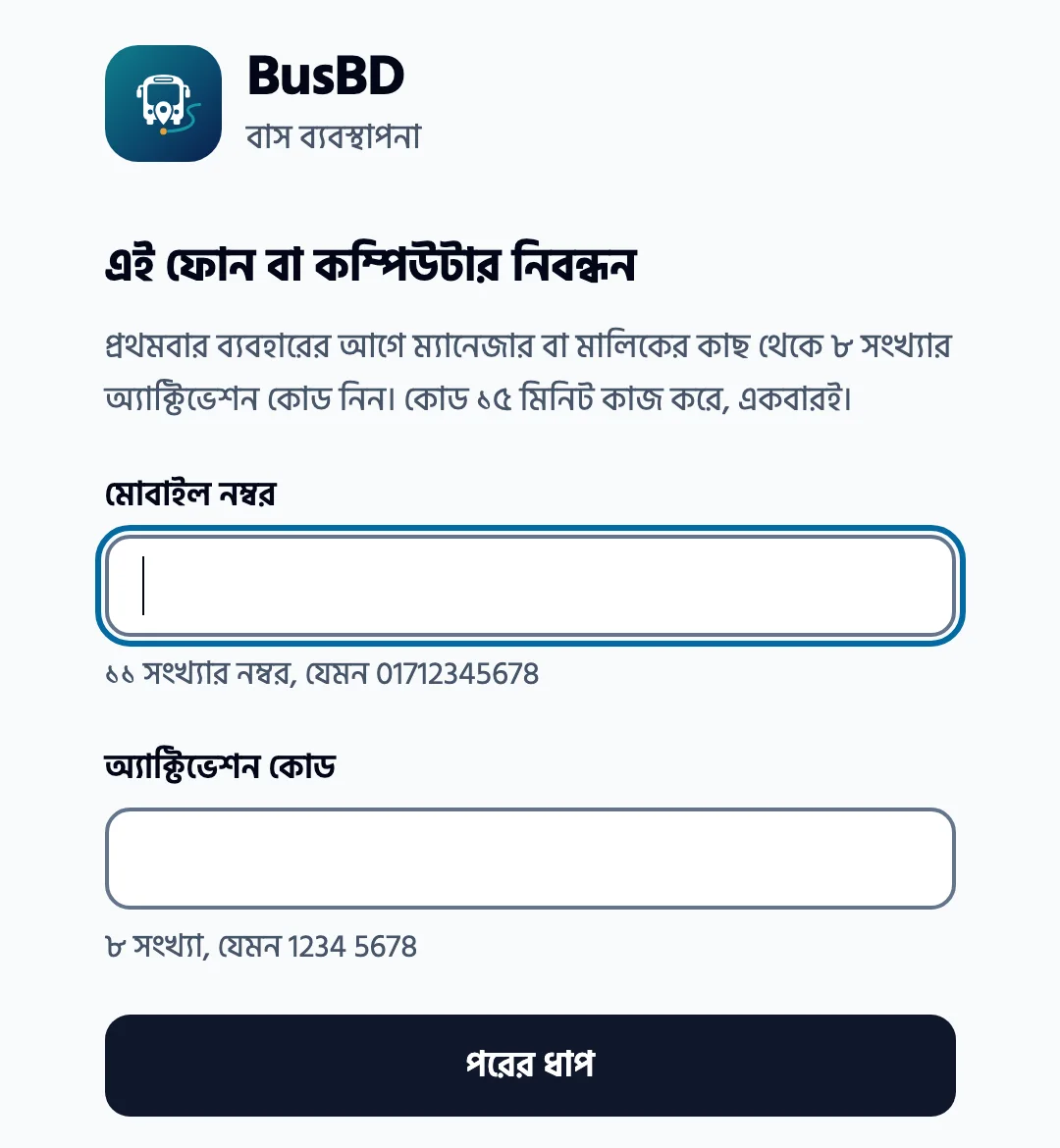
If someone forgets their PIN or wants to sign in from a new phone, they get a fresh code from their manager. The key to which person can use which device stays in your hands. In addition, each company's data is kept separate: one company cannot see another's.
How it looks on a phone
Bus work happens in the field: at counters, terminals, on the road. So BusBD is designed phone-first: large text, large buttons, single-column lists. Below are three parts of the site on a phone screen: the start of the homepage, the list of features, and “3 steps to start”.
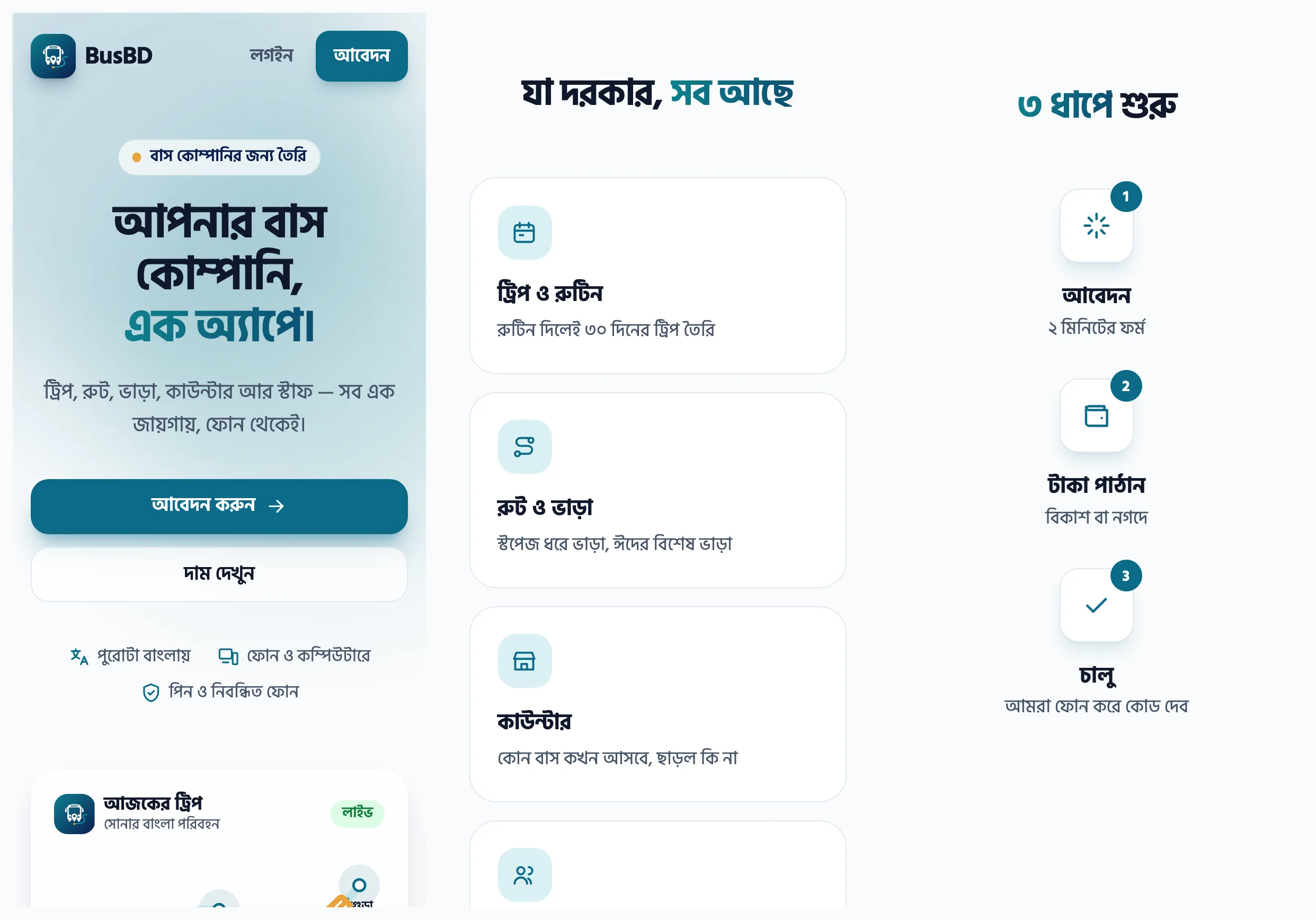
An owner at the office computer sees the same page at full width. Phone or computer, it is the same information and the same Bangla wording.
Local and intercity: who needs what
On the application form you choose your company's type: local, intercity, or both. The two kinds of operation do not have identical needs:
| Type | What usually matters most |
|---|---|
| Local | A regular routine, daily bus and counter work, staff duties |
| Intercity | Trips at fixed times, the stops along a long route, extra crowding around seasons like Eid |
| Both | Two kinds of buses in one company, managed from one place |
Whichever you are, the start is the same: set up buses, routes and routines, then add counters and staff.
How pricing works
There is nothing cryptic about BusBD's pricing. The fee is per bus, per month; in the site's own words, “no hidden costs.” The more buses you have, the more the fee multiplies. In the pricing section you choose two things yourself: the billing period (monthly or yearly) and the number of buses.

Here is how the maths works (say the monthly fee per bus is X):
- Monthly: X × number of buses = the total for each month.
- Yearly: X × number of buses × 10 = the total for the year. You pay for 10 months instead of 12, which means 2 months free.
Example: you have 5 buses. Monthly, you pay 5 × X each month. Yearly, you pay 5 × X × 10 once, saving two months of fees.
Worth knowing: plans and prices can change over time, so always check the final price in the pricing section of busbd.com. The “Your total” card on the left of the application form also shows the total for the plan, buses and period you pick.
Get started in 3 steps
There is no long onboarding process. Three steps:
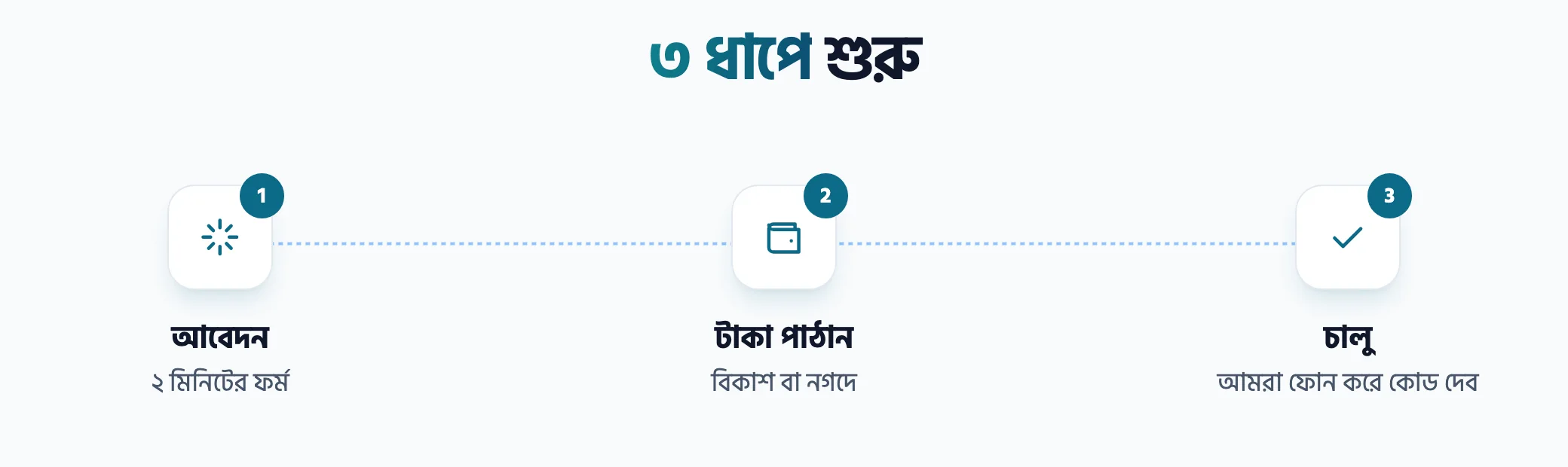
- Apply: a two-minute form.
- Send payment: by bKash or Nagad. On the form you can say whether you have already paid or will pay later.
- Go live: we call you with an activation code, and then you can sign in.
What the application form asks for
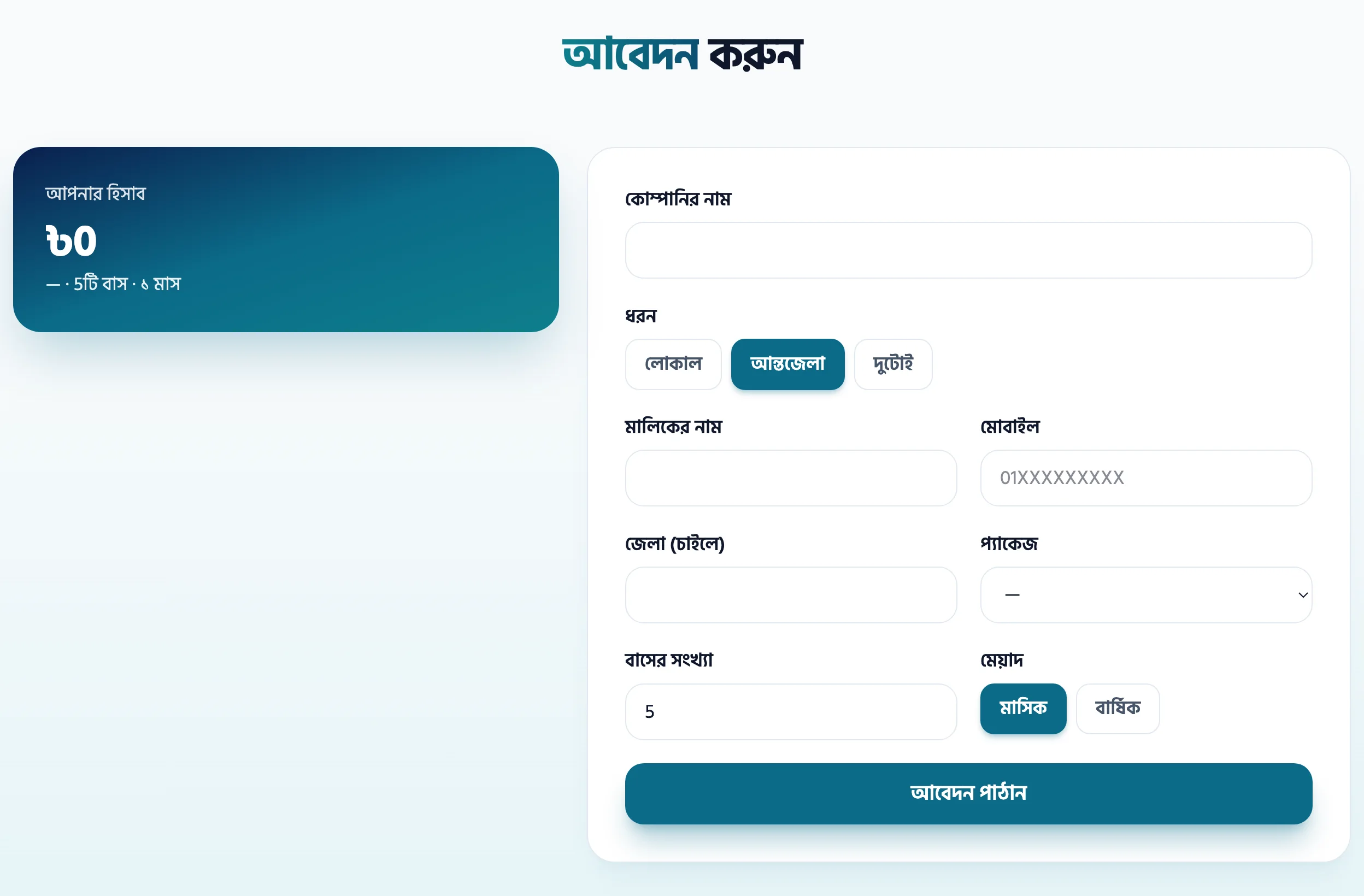
- Company name and type (local, intercity or both)
- Owner's name and mobile number: this is the number we will call
- District (optional)
- Plan, number of buses and period (monthly or yearly)
The payment part: if you have already paid, choose “sent” on the form and enter the number you paid from and the transaction ID. If you want to pay later, choose “pay later”.
Once you submit: the screen confirms your application and shows an application number. After matching your payment, the BusBD team calls your mobile number with your activation code. Write the application number down.
A checklist for choosing software
Whether it is BusBD or something else, ask these questions before you choose software for a bus company:
- Is it fully in Bangla? Can your counter staff use it without understanding English?
- Does it run on a phone? Field work happens on phones; desktop-only covers half the job.
- Can you control who signs in? You should decide which person uses which device.
- Does it catch mistakes? Especially the same bus landing on two trips.
- Is there a record of who changed what?
- Can it handle fares? Fares by stop and special Eid fares.
- Is the price clear? A fee per bus, and whether there are hidden costs.
- How easy is it to get started? How many days, how many steps, who you need to speak to.
- Is your data kept separate? Other companies must not see it.
Here is how BusBD answers those questions at a glance:
| Question | In BusBD |
|---|---|
| Bangla language | The whole website and app screens are in Bangla |
| Phone and computer | Works on both |
| Staff sign-in | PIN + registered phone or computer; the activation code works once, for 15 minutes |
| Wrong schedules | An instant warning when the same bus lands on two trips |
| Record of changes | Who changed what is written down |
| Fares | Fares by stop, special Eid fares |
| Pricing | A monthly fee per bus; yearly gets 2 months free; no hidden costs |
| Getting started | A two-minute form, payment by bKash or Nagad, a phone call with your code |
| Data separation | Each company's data is kept separate |
Frequently asked questions
What is BusBD and who is it for?
BusBD is Bangla software for bus company owners and managers in Bangladesh. It keeps trips, routes, fares, counters and staff in one place, on a phone or a computer.
Is BusBD a ticket-booking app for passengers?
No. BusBD is a tool for a bus company to organise its own operations. It is not a marketplace where passengers buy tickets.
Does it work for both local and intercity buses?
Yes. The application form lets you choose your type: local, intercity or both.
Is the software fully in Bangla?
Yes. The website and the app screens are fully in Bangla, so staff with little technical background can use them comfortably.
Does it work on a phone, on a computer, or both?
Both. BusBD opens in the browser of a phone or a computer.
How do staff sign in, and can outsiders get in?
On first use, staff get an 8-digit activation code from the manager or owner and register their phone or computer. The code works for 15 minutes and only once. They then choose a PIN and later sign in with their mobile number and PIN. A PIN alone is not enough: the device must be registered too.
How is the price calculated?
The fee is charged per bus, per month. On the yearly option you pay for 10 months instead of 12, so you get 2 months free. Payment is by bKash or Nagad. Current plans and prices are shown in the pricing section of busbd.com.
How do I get started?
Fill in the two-minute application form on busbd.com, pay by bKash or Nagad, and the BusBD team will call you with your activation code.
Can one company see another company's data?
No. Each company's data is kept separate, and one company cannot see another's.
Your bus company, in one app
Fill in the two-minute form and pay by bKash or Nagad. We will call you and walk you through the rest.
The screenshots in this article were taken from busbd.com on 19 November 2026. The bus name, times and counts shown on the homepage trip card are sample data. Features, plans and prices can change over time; see busbd.com for the latest. The BusBD website and app are in Bangla; this English article is a guide to them.